
Download Speccy - System Information – system information, hardware monitoring, PC diagnostics, system diagnostics, system monitoring, system utility, PC monitoring, PC utility, Windows system tools
Overview
Speccy - System Information is a specialized utility designed for users seeking detailed insights into their Windows-based PC hardware and software configurations. Developed by Piriform, the application serves as a diagnostic and monitoring tool that provides comprehensive reports on critical system components. Its primary purpose is to deliver real-time visibility into the status and specifications of a computer’s internal architecture, including CPU, GPU, RAM, storage, motherboard, and more. This makes it particularly useful for troubleshooting performance issues, verifying hardware compatibility, or monitoring system health during intensive tasks like gaming or video rendering.
The app targets a broad audience, from casual users who want to understand their device’s capabilities to advanced users and IT professionals managing multiple systems. It enables users to quickly identify potential bottlenecks, verify component specifications, or confirm whether a system meets the requirements for a new software installation. In the broader ecosystem of system tools, Speccy fills a niche by offering a streamlined, no-frills interface that prioritizes clarity and speed over complexity. The developer did not provide additional technical details about the app’s architecture or development philosophy.
Real-world use cases include diagnosing overheating issues by checking temperature sensors, verifying RAM capacity before upgrading, or ensuring that a laptop’s storage drive is functioning properly. The application runs silently in the background, providing continuous monitoring without significant performance overhead. Its role as a lightweight yet powerful diagnostic tool underscores its value in both personal and professional computing environments.
Key Features & Functionality
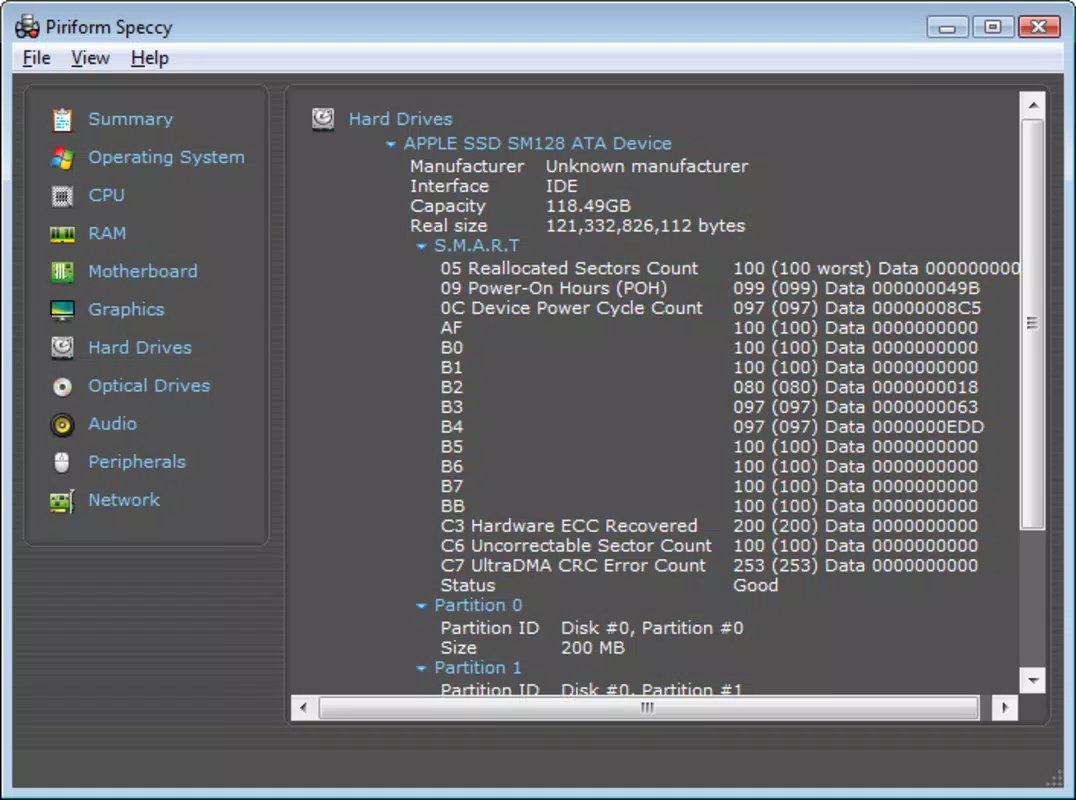
- Real-time Hardware Monitoring – Speccy continuously tracks key hardware metrics such as CPU temperature, fan speeds, and storage health, allowing users to detect anomalies before they lead to system instability.
- Comprehensive Component Breakdown – The app organizes system data into clearly labeled sections including CPU, GPU, RAM, Storage, Motherboard, and more, offering a structured view of each component’s specifications and current status.
- Temperature and Health Reporting – Users can access detailed temperature readings across multiple sensors, helping to assess thermal performance and prevent overheating during prolonged workloads.
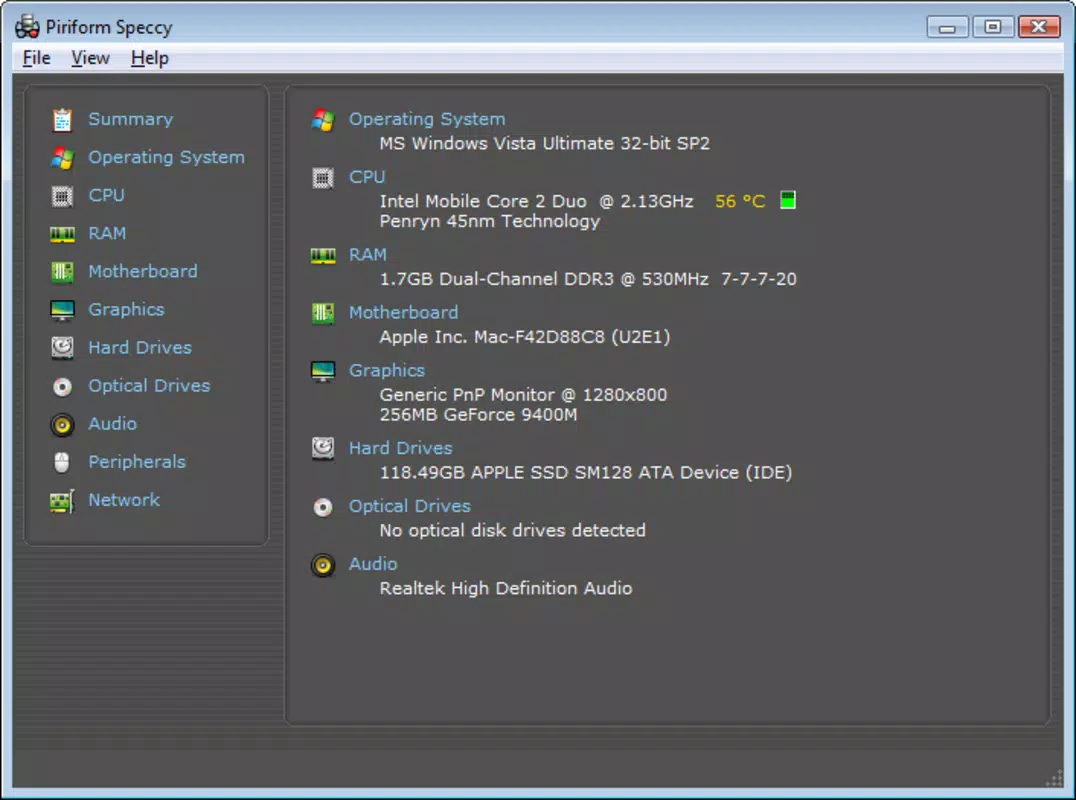
- System Summary Dashboard – The main interface displays a quick overview of the system’s core components, enabling users to get a snapshot of their PC’s configuration at a glance.
- Exportable Reports – Speccy allows users to generate and save detailed system reports in a structured format, useful for documentation, technical support, or sharing with IT teams.
These features support practical workflows such as verifying system specs before purchasing new software, diagnosing performance drops, or preparing a computer for resale. For example, a user experiencing frequent crashes can use Speccy to check if the CPU or GPU is overheating. Similarly, an IT technician can use exported reports to standardize hardware inventories across multiple devices. The app’s ability to deliver accurate, up-to-date data without requiring advanced technical knowledge makes it accessible to a wide range of users.
Interface, UX & Performance
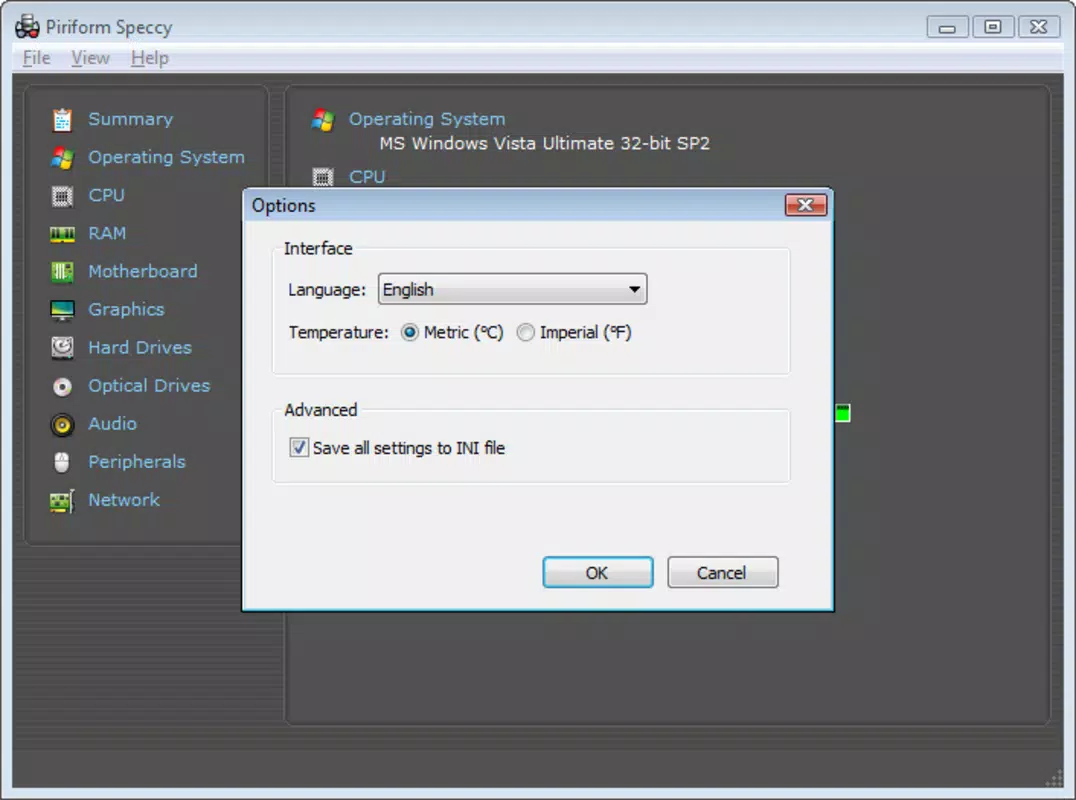
The user interface of Speccy is designed with simplicity and efficiency in mind. The layout is clean and logically organized, with each hardware category presented in a dedicated tab for easy navigation. The visual style emphasizes clarity, using color-coded indicators to highlight critical values—such as high temperatures—without overwhelming the user with visual noise. The main dashboard offers a concise summary of the system’s core components, enabling quick assessments without requiring deep exploration.
Navigating through the app is intuitive, with a sidebar menu that allows users to switch between different hardware sections with minimal effort. The app responds promptly to user input, and although the developer did not list formal performance metrics, it operates smoothly on a range of Windows devices, from entry-level laptops to high-end desktops. Responsiveness is maintained even during continuous monitoring sessions, suggesting efficient resource management.
Stability is a key strength; the application runs reliably without frequent crashes or unexpected behavior. It operates in the background with minimal impact on system performance, making it suitable for long-term use. The developer did not specify minimum OS requirements or compatibility details for specific Windows versions beyond the platform being Windows.
Platform Compatibility & Technical Requirements
Speccy is designed for the Windows operating system, supporting a range of devices including desktops and laptops. The current version, 1.38.184, is available as a lightweight executable file with a total size of 13.5 MB, making it easy to download and install on systems with limited storage space. The app is free to use, with no in-app purchases or subscription models.
Although the developer did not specify minimum OS requirements, it is compatible with modern Windows versions, including Windows 10 and Windows 11. The app does not require administrative privileges for basic operation, though some advanced features may need elevated access. Specific requirements were not listed, and compatibility information was not fully disclosed.
Pros and Cons
Pros
- Lightweight and fast-loading, ideal for systems with limited resources.
- Provides accurate, real-time hardware and system diagnostics.
- Simple, intuitive interface suitable for both beginners and advanced users.
- Free to download and use with no hidden costs or ads.
- Supports exportable system reports for documentation and troubleshooting.
Cons
- Platform is limited to Windows, with no support for macOS or Linux.
- Advanced features may require technical knowledge to interpret fully.
- Developer did not provide detailed compatibility or system requirement specifications.
- Updates may not be frequent, potentially leading to outdated feature sets.
- No mobile version available for on-the-go system checks.
FAQ
Is Speccy safe to download and install?
Yes, Speccy is a legitimate tool developed by Piriform, a trusted name in system utilities. It is free from malware and does not include adware or spyware.
Can I use Speccy on older versions of Windows?
The app is designed for modern Windows systems. While it may run on older versions, the developer did not specify compatibility with legacy Windows releases.
Does Speccy require admin rights to run?
Basic functionality works without administrative privileges. However, certain diagnostic features may require elevated permissions for full access to system sensors.
How often does Speccy update?
Updates are released periodically to improve stability and add minor enhancements. The frequency is not publicly disclosed, but the current version is 1.38.184 as of April 12, 2024.
Can I monitor my PC’s temperature with Speccy?
Yes, Speccy provides detailed temperature readings for the CPU, GPU, and other critical components, helping users monitor thermal performance in real time.
Final Thoughts
Speccy - System Information stands out as a reliable, no-cost solution for users who need accurate, real-time insights into their Windows PC’s hardware and system health. Its clean interface, lightweight design, and powerful diagnostic capabilities make it a valuable tool for both everyday users and technical professionals. Whether you're troubleshooting performance issues, preparing a system for an upgrade, or simply curious about your device’s inner workings, Speccy delivers actionable data without complexity.
The app’s focus on clarity and efficiency ensures that users can quickly access the information they need, without being overwhelmed by unnecessary features. While it is limited to Windows and lacks a mobile counterpart, its core functionality remains highly effective within its intended ecosystem. For anyone seeking a trustworthy system utility to monitor hardware performance, Speccy offers exceptional value at no cost.
Download Speccy - System Information now


